
A clean CRM import can still fail the business on cutover day.
A lead may have an appointment tomorrow, an unread reply from this morning, and a salesperson who promised to call back at 3:00 p.m. The contact record can arrive in GoHighLevel while every one of those commitments gets lost between systems.
That is the risk behind a GoHighLevel CRM cutover. Historical data selection matters, but active work needs a different transfer plan. The team has to know which system owns today’s lead, which messages are still allowed to send, and which next action must survive the switch.
A successful import proves that records moved. It does not prove the business can keep working without missing a person who was already in motion.
A CRM Cutover Is a Change in Working Ownership
BrandLyft’s article on moving CRM data into GoHighLevel deals with a different decision: which historical records, fields, statuses, and context deserve a place in the new account.
This article starts after that scope is known.
The cutover question is narrower. At a specific point, the old CRM stops being the place where staff create new work. GoHighLevel becomes the system the team trusts for current leads, appointments, follow-up, and pipeline activity.
That switch needs a named time, not a vague day.
If sales keeps updating the old CRM until lunch while marketing assumes GHL became live at 8:00 a.m., both systems can contain different versions of the same opportunity before anyone notices. One rep may close a task in the old system. Another may send a message from GHL. A new form submission may enter the new workflow while the previous lead from the same source still waits in an old sequence.
Pick the point when new activity changes systems. Tell the team what becomes read-only, what remains temporarily active, and who can approve an exception.
BrandLyft’s GoHighLevel buildout timeline covers the broader work required before a new account goes live. The cutover sits inside that launch, but active commitments deserve their own review because they already belong to real people.
Build an Active-Work Register Before the Switch
Do not start the cutover review with every contact in the database.
Start with work somebody still owes.
That usually includes open opportunities, upcoming appointments, overdue or future tasks, unread conversations, promised callbacks, estimates waiting on a decision, no-shows still inside a recovery path, and leads currently sitting inside an automation that has not finished.
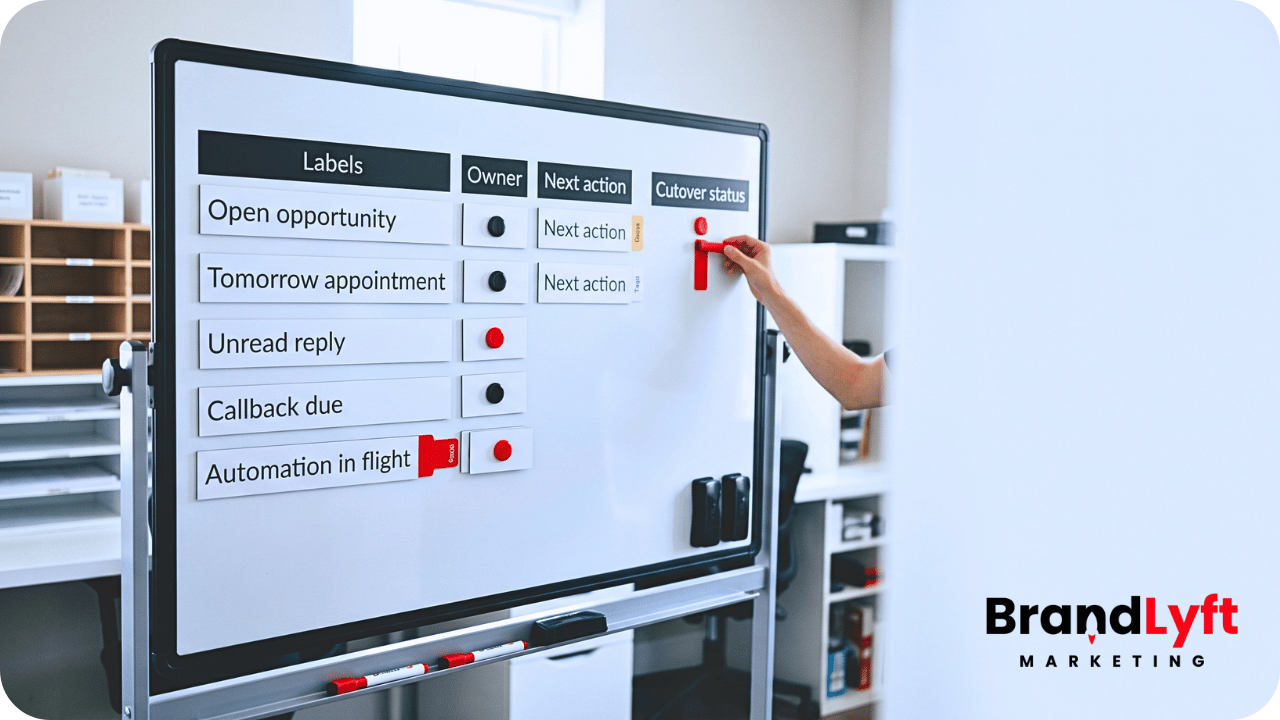
The register can be simple. Each item needs enough information to answer who owns it now, what should happen next, and whether the old system is still capable of doing something after the cutover.
| Active item | Cutover question | What must survive |
|---|---|---|
| Open opportunity | Who owns the next sales action after cutover? | Owner, current stage, next action, due date, useful context |
| Upcoming appointment | Which system sends the confirmation and reminders? | Date, time, calendar, assigned person, reminder state |
| Unread conversation | Has somebody actually seen and accepted the reply? | Message context, owner, response needed |
| Live automation | Will the old sequence finish, stop, or move? | Current automation state and approved next communication |
The point is not to create another migration spreadsheet that nobody uses. This register is the cutover control list. When something goes missing during the first day, the team should know which live commitments existed before the switch.
Open Leads Need More Than a Pipeline Stage
An opportunity imported into the right stage can still be unusable.
Suppose the old CRM shows a lead at “Estimate Follow-Up.” That label does not tell the new owner whether the estimate went out yesterday, the customer asked for a revision, or the salesperson promised to call next Friday.
For active opportunities, move the current responsibility with the record.
The useful handoff includes the assigned owner, current relationship or opportunity status, the next real action, the due date when one exists, and the small amount of context the next person needs to continue without restarting the conversation.
Do not recreate every old task just because the export contains it. A dozen completed or stale tasks can hide the one callback that still matters.
Owners need the same review. If the old assignee no longer works at the company, map the lead to the person taking responsibility before GHL becomes the working CRM. Leaving an inactive user name in the record only postpones the decision until somebody replies.
During cutover QA, open several active opportunities as the salesperson would. The record should make the next move obvious without checking the old CRM.
Upcoming Appointments Need One Reminder System
Appointments are especially risky because two systems can behave correctly and still create a bad customer experience.
The old CRM may already have confirmation and reminder messages scheduled. GoHighLevel may receive the same appointment and enroll the contact in a new reminder workflow. The customer then gets two confirmations, two reminders, or conflicting cancellation instructions.
Decide which system owns each appointment that crosses the cutover date.
For appointments close to the switch, the safest choice may be to let the old reminder path finish while the appointment exists in GHL for staff reference. In another setup, the team may cancel the old reminder sequence and place the contact into the approved GHL workflow. The right choice depends on what has already sent, what still waits, and which system can prove the current appointment state.
Do not enroll every imported appointment into a fresh reminder sequence by default.
Check the next few days of appointments one by one or in a controlled cohort. Confirm the customer, time, assigned user, calendar, status, and remaining communications. If the cutover changes the booking link or cancellation path, the message must point to the system the team will actually use after launch.
Unread Replies and Promised Callbacks Can Disappear Quietly
An unread conversation does not look like a missing record.
The contact may exist in GHL. So can the opportunity. Even the source may be correct. Yet the customer’s last message can remain trapped in the old inbox or arrive without the context that tells the new owner a response is due.
Treat unread or recently active conversations as work, not history.
Before cutover, identify replies waiting on a person and conversations with a promise attached. A salesperson who said “I will call you tomorrow afternoon” created an operational commitment even if nobody created a formal task.
Move that commitment into a place the new owner will see.
If conversation history cannot move cleanly through the chosen migration method, preserve the useful context in a note or cutover field and keep the old system available for reference during the transition. The new CRM does not need every old message to continue the relationship, but the team cannot lose the sentence that changes what should happen next.
Live Automations Need a Finish, Stop, or Replace Decision
Automation creates the most dangerous overlap because it can keep acting after staff think the old CRM has become inactive.
List the sequences that currently contain open leads. Separate informational nurture from messages tied to an appointment, estimate, no-show, renewal, onboarding step, or another current event.
Then decide the fate of each active path.
Some contacts can finish the old sequence because only one harmless message remains and the new system will not send anything competing. Other contacts should stop because the old automation refers to a form, calendar, owner, offer, or stage that no longer exists after cutover. A third group may need to enter a replacement GHL workflow at a specific point rather than start again from the first message.
HighLevel gives teams several controls for this kind of workflow state. Its current Workflow Builder documentation distinguishes Draft from Published workflows and notes that contacts waiting in a workflow remain at their current step when a draft workflow resumes. HighLevel also supports pausing workflows for selected date ranges.
Those controls do not choose the cutover policy for the business. The team still needs to decide which contacts are allowed to continue and which communications should stop.
When imported contacts need to enter a replacement automation, HighLevel’s Add to Automation bulk action can enroll selected contacts into a published workflow. Use that deliberately. Re-enrolling an active lead at the start of a sequence can repeat messages the person already received.
Cutover Control Check
Move the live work, not just the records
BrandLyft’s Revenue System Build connects ownership, pipelines, follow-up, calendars, and outside systems around the way the business needs to keep working after launch.
Review the Revenue System Build
Planning the implementation itself? See BrandLyft’s GoHighLevel Partner service.
Duplicate Messages Usually Start With Two Systems Acting at Once
Duplicate outreach is often blamed on a broken workflow when the real problem is overlapping ownership.
The old CRM sends a reminder because the contact remains active there. GHL sends another because the imported record meets a new trigger. A salesperson also creates a manual task after seeing the lead in the new pipeline.
Nothing has to be technically broken for the customer to receive too much contact.
Use the cutover register to mark which system owns each type of communication during the transition. For the first few days, pay special attention to appointment reminders, new-lead confirmations, estimate follow-up, no-show recovery, and any sequence built around a scheduled date.
Suppression needs to happen before the first duplicate message, not after the complaint.
When a contact moves to a replacement workflow, confirm which old messages have already sent. Start the new path from the state the customer is actually in. If that requires a temporary cutover field, tag, or controlled list, remove the helper logic after the transition rather than leaving permanent migration scaffolding inside the account.
The Old CRM Needs a Clear End State
“We are mostly in GoHighLevel now” is not a source-of-truth rule.
After the cutover point, staff need to know what the old CRM is still allowed to do.
For many teams, the old system becomes reference-only for a short period. Staff can look up history or verify an exception, but they should not create new opportunities, reschedule appointments, assign fresh tasks, or record new sales activity there.
If an old automation must finish for a controlled group, document that exception. The automation can remain active without making the old CRM the working system again.
Also decide what happens to new inbound activity that reaches an old form, number, integration, or inbox after the cutover. A forgotten entry point can quietly create fresh work in the retired system.
The cleanest transition closes or redirects those paths as the new account takes over. Until that happens, somebody needs to watch them.
The First 24 to 48 Hours Need Operational QA
Cutover testing should use real operating questions, not only record counts.
Can the team see today’s new leads? Did the right owner receive them? Are tomorrow’s appointments present once, with the correct reminders? Did a customer reply land where somebody will read it? Are open tasks still attached to the correct person? Did a replaced workflow start at the intended point?
Check actual records from several lead states.
Use a fresh inquiry, an opportunity already in follow-up, an appointment inside the next 24 hours, a no-show or reschedule, an unread reply, and a lead that crossed from an old automation into a new one. Trace each case through the system as the team would during a normal workday.
HighLevel’s current Execution Logs and Enrollment History can show how contacts moved through GHL workflows, including errors, skipped actions, and current enrollment states. Those logs help inspect the new side of the cutover. They do not replace the active-work register that tells the team what should have existed in the first place.
Review the register at least twice during the first day. The goal is to find silent misses while the old system still provides a useful reference.
Keep an Exception Log Until the Active Work Reconciles
Something will usually need manual attention.
An opportunity may arrive without the right owner. One appointment may exist twice. A callback can have the correct due date but no note explaining why it matters. A lead may still receive an old email after the team thought the sequence stopped.
Log the exception instead of fixing it silently.
Record the contact or opportunity, the missing or conflicting state, which system showed the issue, the correction, and whether the same rule could affect other records. One bad owner mapping may point to fifty more records with the same problem.
This is also the rollback record.
Rollback does not have to mean moving the entire company back to the old CRM. It means the team can see what changed, restore a previous routing or communication decision when needed, and identify which records require correction if part of the cutover fails.
Keep source exports, mapping notes, workflow versions, and the active-work register until the transition stabilizes. HighLevel also keeps workflow version history and execution records that can help trace changes inside the new account.
A GoHighLevel CRM Cutover Is Finished When Active Work No Longer Depends on the Old System
A clean import is useful. It is not the finish line.
The cutover is closer to done when today’s leads have owners, upcoming appointments have one reminder path, unread replies reach a person, promised callbacks remain visible, active automations follow one approved communication plan, and staff stop adding current work to the old CRM.
Historical lookup can remain available when the business needs it. That is different from relying on the old system to remember what the team promised yesterday.
The real test happens on a busy day. A new lead arrives while another customer reschedules, a salesperson returns a callback, and an old opportunity replies at the same time. The team should know which system to use without asking whether the cutover is “done enough.”
That is what the transition has to protect.
CRM Cutover Review
Switch systems without making the team guess what happened to today’s leads
BrandLyft can review the active-work transfer, workflow cutover, pipeline ownership, calendars, and launch checks before GoHighLevel becomes the system your team depends on every day.
Need the wider implementation path? Review GoHighLevel Partner support.