
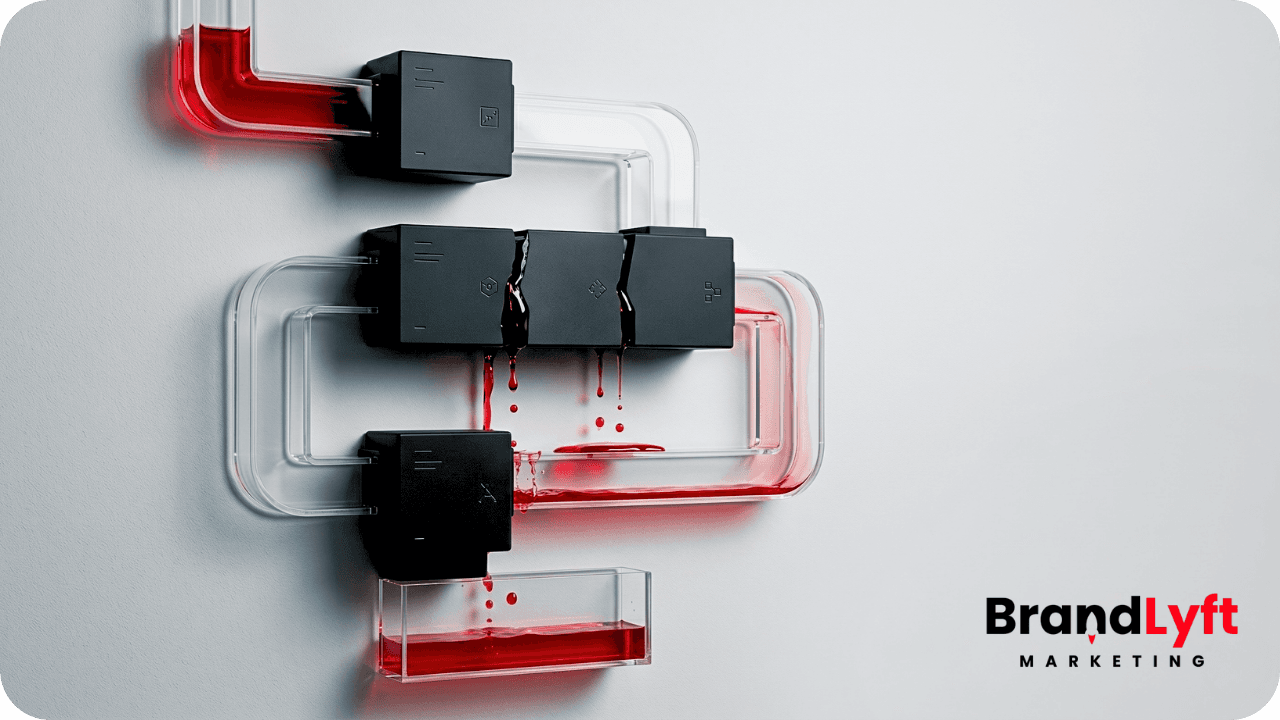
Most bad GoHighLevel setup mistakes are not failing because the platform is missing something.
They fail because the account got built in the wrong order.
That is the part a lot of businesses miss.
They get forms live. They add a pipeline. They build a few workflows. Maybe they connect email and SMS. From the outside, it looks like the setup is moving.
But once real leads start coming in, the cracks show up fast.
Follow-up is slow. The wrong person gets notified. A call gets missed and nobody knows what should happen next. The pipeline looks active, but the team still keeps backup notes somewhere else because they do not trust what they are seeing.
That is when businesses start saying GoHighLevel feels messy.
Usually, the platform is not the real issue.
The real issue is that the setup was built around features instead of how the business actually sells, responds, books, and closes.
If your account feels half-built, these are the GoHighLevel setup mistakes that show up over and over.
Start With the GHL Rescue Decision Guide
Before you patch another workflow or rename another pipeline stage, check whether the account needs light cleanup or a deeper review.
Why GoHighLevel Setup Mistakes Cost More Than They Look
A half-built CRM does not only create missed leads.
It creates drag.
Every weak handoff, late alert, duplicate workflow, unclear stage, or broken booking path adds friction to work that should feel simple. Over time, that friction changes how the team behaves.
Sales reps stop trusting the pipeline. Admin staff double-check automations by hand. Leads sit longer than they should. Reporting gets noisy. Decisions get slower because nobody is fully sure what the system is telling them.
That is why the cost keeps stacking up long before anyone calls the setup broken.
BrandLyft makes this same point in You Didn’t Buy a CRM, You Bought a Revenue System. Installing GoHighLevel is not the same as building a revenue system around how the business actually responds, sells, follows up, and closes.
1. Building Around Features Instead of the Real Sales Path
This is the biggest mistake.
A lot of setups start with what GoHighLevel can do instead of what the business actually needs to happen.
So the account gets built around tools.
A pipeline is added because every CRM has one. A workflow gets added because automation sounds useful. A calendar gets connected because somebody wants booking links live.
But nobody stops and maps the real path first.
Who gets the lead first? How fast should they respond? What happens if the lead does not answer? What stage should the opportunity move into? What happens after the estimate? What happens when the customer books?
If those decisions are fuzzy, the build will be fuzzy too.
The result is a setup that looks complete in the dashboard but does not match what the team is actually doing day to day.
That is why a lot of businesses still run sales from inboxes, call logs, spreadsheets, or memory even after setting up GoHighLevel.
The software exists. The operating path does not.
2. Treating Lead Capture Like the Job Is Done
A lot of businesses think the setup is working because leads are technically entering the account.
That is too low a bar.
Lead capture is only the front door.
The real test starts right after the lead comes in.
Does the right person get notified right away? Does the lead get assigned cleanly? Does the contact go into the right pipeline and stage? Does the first message go out fast enough? Does the team know what the next action is?
This is where half-built setups start leaking money.
The form works. The Facebook lead form works. The missed-call text-back works. The chat widget works.
But the handoff after capture is weak.
For service businesses, that weakness costs real jobs.
If someone is requesting a quote for roofing, HVAC, plumbing, landscaping, septic, fitness, or another local service, they are usually not waiting around all afternoon. They are reaching out to more than one company.
If your account captures the lead but slows down the handoff, it is not doing enough.
BrandLyft’s article Is GHL Really All That Good for Small Businesses? explains the same idea from the service-business side: GHL works when it becomes one place to capture leads, book appointments, follow up, and keep the process moving.
3. Automating Follow-Up Before Ownership Is Clear
This is one of the messiest GoHighLevel setup mistakes because it creates motion without clarity.
A business wants faster follow-up, so somebody builds workflows.
Now messages go out. Tasks appear. Notifications fire. Tags get added.
But nobody solved the ownership question first.
Who owns the lead after it comes in? Who books the appointment? Who follows up after the estimate? Who watches the pipeline if the lead goes quiet? Who gets alerted when a hot lead has not been touched?
If that part is still loose, automations do not fix the process. They automate confusion.
That is how businesses end up with leads getting texted quickly but not called quickly. Or tasks being created without real accountability. Or reps assuming somebody else is already working the opportunity.
Fast automation is useful. Clear ownership matters first.
HighLevel’s own workflow documentation separates triggers and actions for a reason. Triggers start the workflow. Actions happen after the trigger fires. If the ownership logic is unclear before those pieces are built, the automation can move faster while the process still stays messy. Review HighLevel’s workflow basics before editing live automations without a clear map.
4. Ignoring Call Handling and Speed to Lead
This one gets underestimated all the time.
A lot of GHL builds look acceptable until you check what happens in the first few minutes after a lead comes in.
That is usually where the setup is weaker than people think.
A missed call does not trigger the right response. A form comes in but sits too long before someone reaches out. A lead gets routed to the wrong rep. A text goes out, but no human follow-up happens after that. A booking link exists, but the lead still does not get moved toward the calendar fast enough.
That is not a small detail.
For service businesses, speed to lead is one of the main reasons to use a platform like GoHighLevel in the first place.
If the system is not helping the business respond quickly across calls, forms, texts, chat, and lead-source integrations, then a big part of the value is still missing.
This is also where setup mistakes get expensive fast.
The business keeps buying leads. The business keeps paying for software. The business keeps wondering why response quality still feels uneven.
Meanwhile, the real issue is sitting in the first ten minutes after lead capture.
5. Connecting Tools Without Testing the Handoff
A lot of accounts get built in pieces.
The website form connects. A calendar gets added. An automation gets copied. A webhook gets built. A third-party lead source gets pushed into the CRM.
Everything sounds connected.
But connected is not the same as working cleanly.
This is where real setup pain shows up.
Fields do not map the way people think they do. Attribution gets muddy. Notifications hit the wrong user. Pipeline movement does not happen when it should. Contacts enter the CRM without enough detail to route properly. Calendar logic breaks once multiple users or services are involved.
The more tools involved, the more this matters.
If the business depends on outside platforms like Angi, JobNimbus, ServiceTitan, Mindbody, or custom handoff logic, one weak connection can create real downstream drag.
That is why testing the handoff matters as much as building it.
You do not want a setup that should work. You want a setup that survives real traffic.
If you need to sanity-check how pipeline stages are supposed to support the sales or service process, read the official HighLevel pipeline guide before changing stages or routing rules.
What GoHighLevel Setup Mistakes Usually Expose
Most setup problems are symptoms of a deeper issue.
The account was not built around the real money path.
The lead path is unclear. The handoff is too fragile. The pipeline does not match how the team sells. Ownership is fuzzy. The team still does too much work outside the CRM because the system never became trusted enough to run from.
That is the difference between having software and having something the business can actually use.
A stronger setup does a few simple things well. The sales path is clear. Every stage has a reason to exist. Lead ownership is obvious. Response time is fast. Calls, forms, texts, chat, and outside lead sources move into one visible path. The team trusts the next step. Managers can see what is stuck.
That is not a prettier dashboard.
That is a cleaner operating system.
DIY Cleanup vs Getting Expert Help
Some accounts need simple cleanup. They reach a point where standard setup cannot handle the real handoffs, intake logic, reporting, or data movement anymore.
Some need a real reset.
You can often handle lighter fixes yourself if the team still trusts the account, the routing is mostly clear, and the gap is more about cleanup than confusion.
You probably need outside help if the team avoids the system, workflows are duplicated or unclear, handoff keeps breaking, and nobody can say with confidence what should be fixed first.
The real time loss usually comes from misdiagnosis. Teams spend weeks cleaning the wrong thing because the account feels messy everywhere at once.
Use the GHL Rescue Decision Guide Before You Patch Again
Use it to check lead capture, routing, workflow overlap, reporting, and team trust before you spend more time cleaning the wrong thing.
What to Do After You Spot GoHighLevel Setup Mistakes
Do not keep patching random pieces in random order.
Check the account in the order the business actually works: lead capture, routing, ownership, pipeline stages, follow-up timing, calendars, integrations, cleanup, and team usage.
That order usually exposes where the real drag is.
If the guide points to shallow issues, clean those up first. If it points to bigger gaps across routing, follow-up, pipeline logic, and team trust, stop patching and get outside help before more drag piles up.
Because most bad GoHighLevel setups are not failing from one huge mistake.
They are failing from five smaller ones that stacked up long enough to become normal.
FAQ
What are the most common GoHighLevel setup mistakes?
The most common GoHighLevel setup mistakes are building around features instead of the sales path, treating lead capture like the job is done, automating before ownership is clear, ignoring speed to lead, and connecting tools without testing the handoff.
Why does my GoHighLevel setup feel messy?
A GoHighLevel setup usually feels messy when the account was built in pieces instead of around one clear sales process. The tools may exist, but routing, ownership, pipeline stages, workflows, and team usage may not work together cleanly.
Can a bad GoHighLevel setup cost leads?
Yes. A bad setup can slow response time, send leads to the wrong person, create weak handoffs, trigger confusing automations, and push the team back into manual work. Those problems can cost leads without looking like one obvious failure.
Should I clean up GoHighLevel myself or get help?
You can clean it up yourself if the setup is simple and the team still trusts the account. If workflows are duplicated, routing is unclear, handoff keeps breaking, and nobody knows what to fix first, outside help is usually faster.