

A GoHighLevel custom build usually becomes necessary after the normal setup is already working.
That is what makes this stage different.
You are not asking whether GoHighLevel can capture leads, move opportunities, send reminders, fire workflows, or book appointments. You already know it can. You have built enough pipelines, forms, calendars, tags, custom fields, triggers, filters, and automation paths to know where the platform is strong.
The harder question is what happens when standard configuration stops matching the way the business actually runs.
That is where the custom build layer starts.
For agency owners, marketing consultants, freelance GHL specialists, and in-house operators, this is the point where another workflow is not always the answer. Sometimes the account needs a cleaner data model. Sometimes it needs an external system connected the right way. Sometimes the reporting problem is not a dashboard problem. Sometimes the client is asking for portal behavior, approval logic, quoting flow, intake routing, or multi-step handoff that does not fit inside a basic sub-account setup.
This article is for that layer.
Not beginner setup.
Not another “what is GoHighLevel” guide.
This is the part where standard GHL configuration runs out of clean answers, and the build has to move from setup work into system design.
What the GoHighLevel Custom Build Layer Actually Means
The GoHighLevel custom build layer is the part of a project that goes beyond normal account configuration.
Standard configuration uses the tools already inside GHL: pipelines, forms, surveys, workflows, calendars, opportunities, users, permissions, custom fields, tags, templates, snapshots, dashboards, and conversation tools.
A custom build starts when those pieces are no longer enough by themselves.
That does not always mean custom code right away. It can mean a deeper data structure, custom object planning, webhook logic, API-based handoffs, outside database support, reporting cleanup, client portal planning, or a controlled connection between GHL and another business platform.
The mistake is assuming custom work begins only when a developer opens a code editor.
In reality, the custom layer starts earlier. It starts when the business process cannot be represented cleanly through standard fields, tags, workflows, and pipeline movement without creating a fragile mess.
For example, a simple service business may only need one contact, one opportunity, one pipeline, one calendar, and a few follow-up workflows. That is standard setup.
But a more complex account may need to track multiple properties under one contact, multiple applicants under one account, several locations tied to one parent organization, renewals attached to different service terms, or equipment records that need their own lifecycle. At that point, forcing everything into contact fields can make the account harder to use.
That is where a GoHighLevel custom build can make more sense than stacking more labels on the same basic record.
Standard Configuration Is Still the First Layer
Custom work should not be used to cover up weak setup.
If the pipeline is unclear, the lead source is missing, the calendar is not tested, or the workflows have no ownership logic, the account does not need custom development yet. It needs basic operating cleanup.
That matters because custom work can make a bad setup harder to untangle.
If the sales path is still fuzzy, a webhook will not fix it. If the client cannot define when an opportunity should move stages, a custom dashboard will not make reporting trustworthy. If nobody owns the lead after capture, an API connection will only move confusion from one tool into another.
This is why BrandLyft treats GoHighLevel as part of a bigger revenue system, not just a software account. A clean build still starts with lead capture, routing, follow-up, attribution, pipeline visibility, and workflows the team can use. If that foundation is missing, review the Revenue System Build path before jumping into custom work.
For GHL specialists, this distinction protects the project.
Some clients ask for “custom” because they are frustrated. But frustration is not always a custom build signal. Sometimes the account has duplicate workflows, weak naming, bad pipeline stages, loose trigger filters, or no QA process. In that case, a GoHighLevel setup mistakes cleanup may solve more than a custom feature request.
The custom layer should come after the standard layer has been tested and found too limited for the real process.
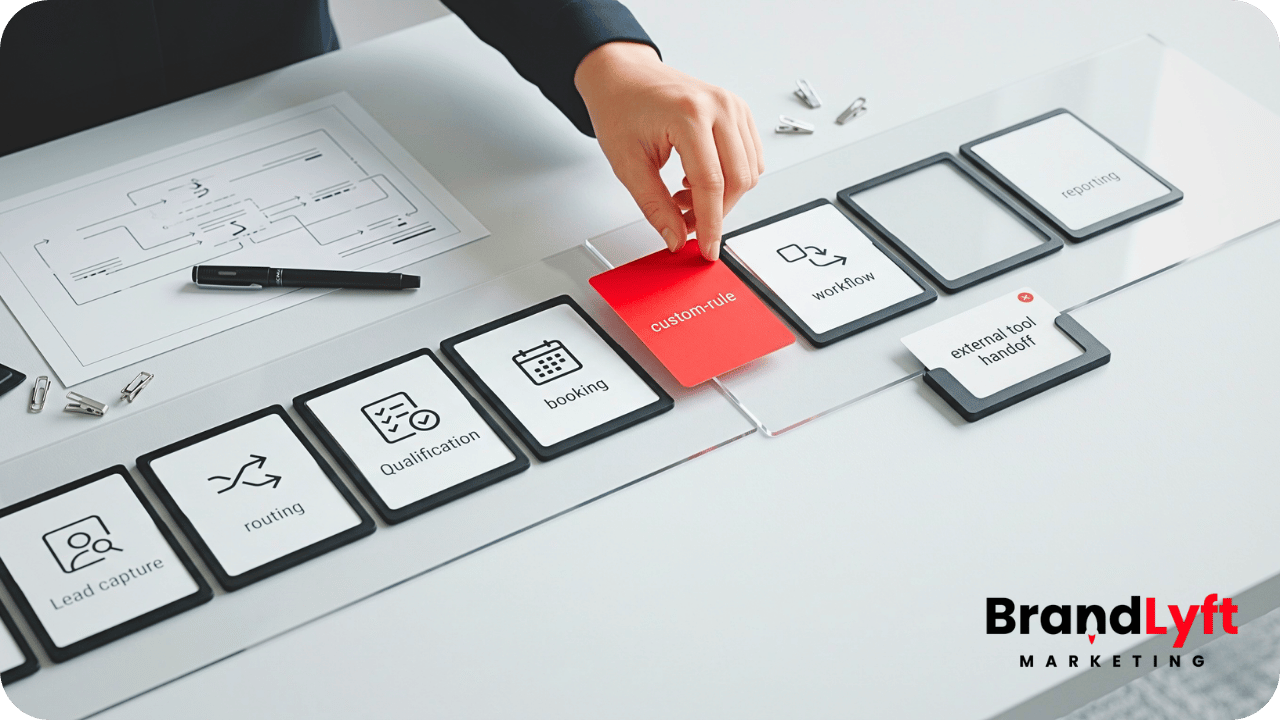
When a GoHighLevel Custom Build Becomes the Cleaner Option
A GoHighLevel custom build becomes worth considering when standard configuration creates more work than it removes.
The warning sign is usually not one big failure.
It is a pattern.
The account technically works, but the team keeps adding workarounds. Custom fields multiply. Tags start carrying business logic they were never meant to carry. Workflows get duplicated for edge cases. Reporting requires spreadsheet cleanup. The client keeps asking for views GHL does not show natively. External systems pass partial data, then staff fix the rest by hand.
That is the point where the operator should stop and ask a harder question.
Are we configuring the platform, or are we forcing the business into a structure that no longer fits?
Custom build work often makes sense in situations like these:
- The account needs to track records that are not just contacts or opportunities.
- Outside systems need to send structured data into GHL.
- GHL needs to send clean data out to another system.
- The client needs conditional intake logic that standard forms cannot handle well.
- Reporting depends on data that is spread across too many fields, tags, or tools.
- The client needs a portal, approval path, quoting flow, or non-standard user experience.
- Multi-location or multi-team handoff rules have outgrown a cloned snapshot.
None of those automatically require a large custom app.
But they do require better architecture than “add another field and trigger another workflow.”
Limit 1: Standard Fields Cannot Always Carry the Real Data Model
Custom fields are useful until they become the storage room for everything.
Early in a GHL build, fields feel simple. Add a field for service type. Add another for location. Add another for lead source. Add another for appointment preference. Add another for package interest.
That works for simple records.
But some businesses do not revolve around one contact and one opportunity. They revolve around related records.
A property service company may need to track several properties under one customer. A healthcare-adjacent service may need separate appointment types, packages, intake states, and payer details. A franchise operator may need location records, owner records, team records, and local pipeline behavior. A B2B provider may need parent companies, contacts, service sites, contracts, and renewal dates.
When all of that gets flattened into contact fields, the account becomes hard to read.
That is where HighLevel’s Custom Objects can matter. Custom Objects are designed to model records beyond Contacts and Opportunities, with their own fields, associations, and automation use cases. HighLevel’s Custom Objects documentation explains how they can represent entities like properties, pets, cases, or vehicles when standard objects are not enough.
A GoHighLevel custom build may use Custom Objects, outside storage, or a hybrid setup depending on the client’s real need.
The point is not to make the account more technical.
The point is to stop pretending every business record belongs inside the same contact profile.
Limit 2: Workflows Cannot Replace Business Logic
Workflows are powerful, but they are not a substitute for decision design.
HighLevel workflows are built around triggers and actions. A trigger starts the workflow. Actions run after the trigger fires. HighLevel’s workflow guide explains that structure clearly.
The problem is what agencies and operators often build on top of it.
When the client asks for more logic, the first instinct is to add more branches. More If/Else paths. More tags. More filters. More waits. More duplicated workflows for special cases.
That can work for a while.
Then the workflow map becomes unreadable.
A custom build becomes useful when the decision logic needs to live somewhere cleaner. That might mean preprocessing data before it enters GHL. It might mean sending data to a middleware layer first. It might mean using an external rules table. It might mean building a custom intake step that decides where the record should go before the workflow ever starts.
This matters most when the account has many conditions.
Think of lead routing by location, service type, licensing area, booking capacity, customer status, past purchase, team availability, and source quality. You can try to build that inside one giant workflow, but somebody has to maintain it later.
Good custom work reduces workflow clutter.
Bad custom work hides the clutter somewhere else.
The test is simple: after the custom layer is added, can the operator still explain what happens when a lead enters the system?
If the answer is no, the build is not cleaner. It is just harder to inspect.
Limit 3: Pipelines Cannot Represent Every Operational State
Pipelines are built for opportunity movement.
They are not meant to represent every state a client, job, record, task, asset, approval, service, payment, renewal, or project can be in.
HighLevel’s pipeline documentation describes pipelines as visual tools that show opportunities moving through defined stages in a sales or service workflow. The official pipeline guide also points out that stages should be clear and action-oriented.
That is the standard.
But many advanced builds stretch pipelines too far.
The pipeline becomes a project board. Then a support queue. Then a renewal tracker. Then an onboarding system. Then a fulfillment tracker. Then a reporting workaround.
At first, it feels practical because the team can see everything in one place.
Later, the pipeline stops telling a clean story.
Opportunities sit in stages that are not really sales stages. Automations fire based on stage movement that means different things to different users. Reports become noisy because the pipeline is carrying multiple processes at once.
A GoHighLevel custom build can separate those states.
Sales opportunities can stay in the sales pipeline. Fulfillment can move into a Custom Object, external app, project tool, or controlled handoff. Renewals can be tracked through fields, objects, workflows, or another system based on how the team works.
This is also where BrandLyft’s CRM and app development lane fits naturally. Some accounts do not need more pipeline stages. They need a cleaner place for non-sales data to live.
Limit 4: Native Forms Cannot Handle Every Intake Experience
GHL forms and surveys are enough for many lead capture paths.
They can collect basic lead data, trigger workflows, update contacts, and push opportunities forward. For a normal service business, that may be enough.
But advanced intake can get messy.
A client may need multi-step qualification. Conditional pricing logic. File uploads with review steps. Location-specific availability. Approval routing. Internal scoring. Duplicate checks. Data validation against another system. A customer-facing form that changes based on account type, service tier, or prior answers.
You can force some of that into standard form logic.
But not all of it should live there.
A custom intake layer can collect the data first, shape it properly, then send only the right fields into GHL. That makes the CRM cleaner because the data arrives with more structure.
This is especially useful when the user experience matters.
If the form feels clunky, too long, too generic, or too limited, the lead may drop before the CRM ever sees them. A custom front-end intake flow can make the experience easier for the user while still feeding the right contact, opportunity, object, or workflow data into HighLevel.
The key is not to build custom intake just because it looks better.
Build it when the native form experience cannot support the decision path cleanly.
Limit 5: Webhooks Need an Actual Handoff Plan
Webhooks are where many advanced GHL builds start to feel possible.
They are also where messy builds start to break quietly.
HighLevel’s inbound webhook documentation explains that external systems can send data into GHL using HTTP request methods like POST, GET, and PUT, allowing outside tools to pass data into workflows. The inbound webhook guide also notes practical constraints around JSON structure, mapping references, email or phone requirements for contact creation, and data structure changes.
That is why webhook work should not be treated like a magic connector.
A webhook is only as clean as the handoff plan behind it.
Before building one, the operator needs to know what system sends the data, what event triggers the send, what payload is expected, what record should be created or updated, what happens if the contact already exists, what fields are required, what gets logged, and what failure looks like.
Without that plan, the webhook may technically receive data while still creating bad records.
Common issues include missing phone numbers, inconsistent field names, changed payload structures, duplicate contacts, incomplete opportunity records, and workflows that depend on data that did not arrive.
A GoHighLevel custom build should treat webhooks as part of the system boundary.
That means mapping payloads, testing edge cases, documenting required fields, watching failure points, and making sure the team knows what to check when data does not arrive as expected.
Limit 6: Reporting Cannot Be Fixed After Bad Data Enters
Many clients ask for custom reporting when the real issue is dirty input.
They want better dashboards. Better attribution. Better location views. Better source breakdowns. Better sales team visibility. Better close-rate reporting.
Those are fair asks.
But reporting cannot fully fix weak source data, unclear pipeline rules, inconsistent user behavior, or records that were never structured correctly.
If the system does not know where the lead came from, who owned it, what stage it reached, what service it requested, what location handled it, and what happened next, the report will always need interpretation.
A custom reporting layer may still be useful.
But it should come after the account’s inputs are cleaned up.
For advanced GHL operators, this is one of the cleanest ways to explain the difference between a dashboard request and a build request. A dashboard request asks, “Can we see this?” A build request asks, “Are we collecting and structuring the right data so this view can be trusted?”
If the second question is not solved, the first one will keep breaking.
This is why BrandLyft’s Speed to Lead work and GHL buildout work connect back to reporting. Fast response, clean routing, and trusted reporting all depend on the same thing: the system needs to know what happened, when it happened, and who was supposed to act.
Limit 7: Multi-Client Agency Builds Need Repeatability Without Becoming Rigid
Agency owners and freelance GHL specialists face a different version of the custom problem.
Their issue is not always one complex client.
Sometimes it is the same messy problem repeating across many clients.
A snapshot solves part of that. It gives the agency a starting point. It can package common workflows, pipeline stages, forms, templates, calendars, and settings.
But snapshots can become too rigid when every client needs small variations.
One client needs different routing. Another needs intake tied to territory. Another needs custom package logic. Another needs a different reporting view. Another needs an outside system connected before the lead hits the pipeline.
The agency then starts making manual changes client by client.
That is the drag.
A GoHighLevel custom build can create a smarter repeatable layer. It might include reusable intake logic, documented webhook patterns, standard field maps, cleaner naming rules, custom reporting templates, or a repeatable way to connect outside tools without rebuilding from scratch every time.
This is not about making every client identical.
It is about reducing avoidable rebuild work while still leaving room for real business differences.
For agencies already selling GHL services, BrandLyft’s GoHighLevel Partner page is the closest internal fit for this conversation. The buyer is not asking for basic setup help. They are looking for the layer that keeps delivery from becoming custom chaos every time a client has a non-standard requirement.
When Custom Code Is the Wrong Move
Not every advanced account needs code.
This matters because custom work creates new responsibilities.
Someone has to maintain it. Someone has to document it. Someone has to test it after GHL updates, API changes, app changes, payload changes, or client process changes. Someone has to know what happens when the developer is unavailable.
Custom code is the wrong move when the client cannot explain the process, when the standard setup has not been tested, when the issue is only a naming problem, or when a normal workflow can solve the need cleanly.
It is also risky when the client wants custom behavior because they do not want to make operating decisions.
For example, if nobody knows who should own a lead after hours, custom logic will not solve that. It will only encode the confusion. If nobody knows when an opportunity should move from “New Lead” to “Contacted,” a custom dashboard will not make the pipeline better.
Custom work should make the system cleaner, not hide weak decisions behind technical buildout.
A Simple Decision Filter for the GoHighLevel Custom Build Layer
Before recommending a GoHighLevel custom build, run the request through a simple filter.
Can standard configuration solve this cleanly?
If a normal workflow, custom field, pipeline change, calendar setting, or form adjustment solves the issue without creating long-term confusion, use the standard tool.
Do not make the build more complex just to make it feel advanced.
Is the current setup already trusted?
If the team does not trust the current pipeline, routing, or workflow behavior, fix that before adding a custom layer.
Otherwise, the custom build will sit on top of an unstable base.
Is the data model the real problem?
If the account is trying to represent too many related records inside one contact or one opportunity, custom fields may not be enough.
This is where Custom Objects, outside storage, or a custom app layer may be worth reviewing.
Does another system need to exchange data with GHL?
If outside systems are part of the process, define the handoff before building the connection.
That includes payloads, required fields, duplicate logic, failure handling, and who owns fixes when the connection breaks.
Will someone maintain this later?
If nobody can maintain the custom layer, the project may create future risk even if it solves the current request.
Good custom work includes documentation, testing notes, ownership, and a plan for changes.
What a Strong Custom Build Scope Should Include
A custom GHL project should not start with tools.
It should start with the process.
Before anything gets built, the scope should define what the business is trying to track, what users need to do, what data needs to move, what systems are involved, and what the team should see when the process is working.
A strong scope usually covers these pieces:
- The business process being solved.
- The standard GHL pieces that will still be used.
- The parts standard configuration cannot handle cleanly.
- The data model, including contacts, opportunities, custom fields, Custom Objects, and external records.
- The workflow logic and where decisions should happen.
- The webhook or API handoff plan, if outside tools are involved.
- The reporting outcome the client expects.
- The maintenance owner after launch.
- The QA path before real leads or users depend on it.
This scope protects both sides.
The client gets a clearer build. The operator gets fewer surprise requests. The agency gets a better way to price the work because the project is not described as “just a few custom tweaks.”
How BrandLyft Thinks About Custom GHL Work
BrandLyft’s position is simple: custom should serve the revenue path.
If the custom layer does not make lead capture, routing, follow-up, booking, reporting, handoff, or team usage cleaner, it probably does not belong in the first phase.
That is why this work connects to multiple BrandLyft lanes.
A business that needs better lead movement may start with Revenue System Build. A team that needs faster response may need Speed to Lead. A franchise or multi-location group may need GoHighLevel for Franchises. A client with non-standard records, custom handoffs, or app-like behavior may need CRM and app development.
The point is not to force custom development into every GHL account.
The point is to know when basic setup has reached its limit.
For advanced operators, that judgment matters more than the build itself.
Anyone can add another workflow. Anyone can add another field. Anyone can connect another tool and call it done.
The stronger move is knowing when the account needs a different layer, and when it just needs a cleaner version of what already exists.
The Real Test: Does the System Get Easier to Run?
A GoHighLevel custom build should not make the account feel more mysterious.
It should make the system easier to run.
The client should understand where data enters, what gets created, who owns the next step, what gets automated, what gets reported, and what happens when something fails.
The team should not need to guess which tag matters, which workflow is current, which field is safe to edit, or which system owns the source of truth.
The account should feel less patched.
Less fragile.
Less dependent on one person remembering how everything was wired together.
That is the real value of the custom layer.
Not more technical work for its own sake.
A cleaner operating path when standard configuration cannot carry the full job anymore.
Is This a Custom Build Problem or a Setup Problem?
Before you add another workflow, field, webhook, or outside tool, map where the standard GHL setup is actually running out of room. The right answer may be cleanup, custom architecture, or a better handoff between both.
What to Do Next
If the account is still simple, do not overbuild it.
Tighten the normal setup first. Clean the pipeline. Test the workflows. Check the routing. Confirm calendar logic. Remove duplicate fields and tags. Make sure the team can explain what happens after a lead enters the system.
If the account is already beyond that point, stop patching.
Map the part that standard configuration cannot solve. Is it the data model? The intake experience? The external handoff? The reporting layer? The client portal requirement? The multi-location logic? The repeatable agency delivery system?
That answer tells you what kind of custom layer is actually needed.
And it keeps the project from turning into a pile of advanced features that still do not solve the real operating problem.
FAQ
What is a GoHighLevel custom build?
A GoHighLevel custom build is a setup layer that goes beyond normal GHL configuration. It may include Custom Objects, webhooks, API-based handoffs, custom intake flows, reporting layers, app-like screens, or deeper system design when standard fields, workflows, forms, and pipelines are no longer enough.
When should I use custom development instead of standard GHL workflows?
Use custom development when the business process cannot be represented cleanly with standard workflows, fields, tags, forms, calendars, and pipelines. If a normal workflow can solve the issue without making the account harder to maintain, use the standard workflow first.
Can HighLevel Custom Objects replace custom development?
Sometimes. Custom Objects can model records beyond Contacts and Opportunities, which can solve some data-structure problems inside HighLevel. But if the project needs a custom user experience, outside system logic, advanced validation, or non-native reporting, Custom Objects may be only one piece of the build.
Do agencies need a custom GHL layer for every client?
No. Most clients should start with a clean standard setup. Agencies need a custom layer when repeated client requests are creating manual rebuild work, messy workflow stacks, inconsistent field maps, or handoff needs that cannot be handled cleanly through a normal snapshot.
What should be documented in a GoHighLevel custom build?
Document the process being solved, data model, field map, workflow logic, webhook or API handoffs, source-of-truth rules, error handling, QA steps, and maintenance owner. Without documentation, custom work can become harder to support than the original problem.